
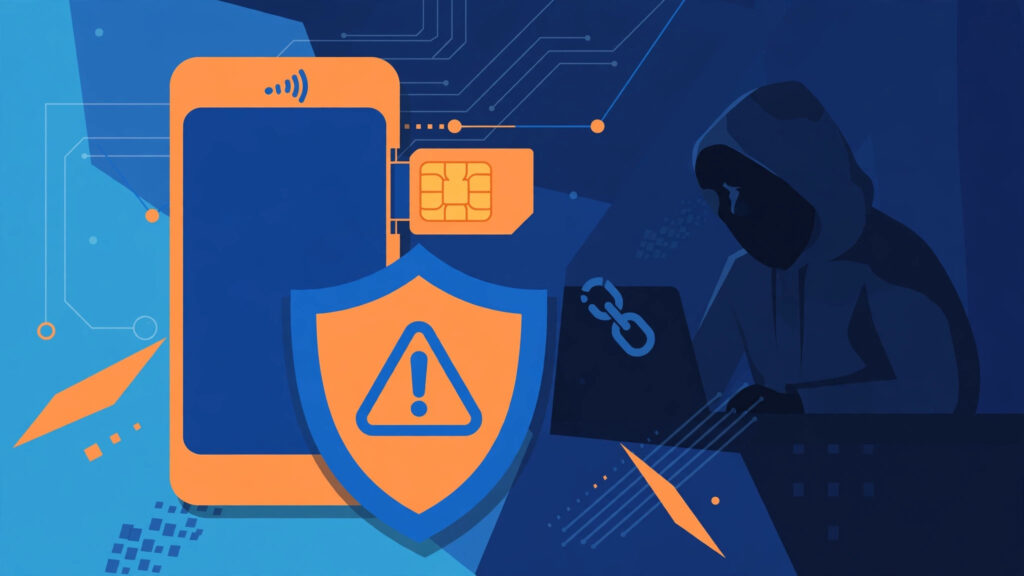
Your phone suddenly shows “No Service.” You’re at home, the signal was fine five minutes ago, and restarting doesn’t fix it. Most people would assume a network glitch. Sometimes it is. But it can also mean someone has stolen your number without touching your phone. That’s why understanding a sim swap attack how to protect yourself matters.
A SIM swap isn’t high-tech hacking. It’s social engineering. The criminal just needs to convince your carrier that they are you.
What Is a SIM Swap Attack?
In a SIM swap, a criminal contacts your carrier and asks them to move your phone number to a new SIM — one they control. They might call support, use online chat, or walk into a store. To pull it off, they usually have some personal details already: your full name, date of birth, address, or part of an ID number. That information often comes from data breaches, phishing, or things posted publicly on social media.
If the agent is convinced, your number is transferred. Your SIM stops working, and their phone starts receiving all your calls and texts. Every service that sends a code to your number is now sending it to a stranger. It can happen in under an hour.
Why a SIM Swap Is So Dangerous
Your phone number has quietly become a master key. Your bank sends one-time codes by text. Your email lets you reset a password with an SMS code. WhatsApp, Instagram, and Facebook all lean on your number for login and recovery.
Once a criminal controls your number, a typical attack looks like this:
- They request a password reset for your email using an SMS code, which goes to them.
- With your email open, they reset passwords for banking, shopping, and social accounts.
- They approve transfers or purchases using the text codes those services send.
- They change passwords and recovery details so you’re locked out.
Money is the usual target. Bank accounts and crypto wallets get drained first, because those moves are hard to reverse. Criminals have also taken over social accounts and messaged the victim’s contacts asking for cash — and it looks real, because it came from your number.
Warning Signs Your SIM May Have Been Swapped
One sign matters more than the rest: your phone loses service for no clear reason. Not weak signal — completely dead. No calls, no texts, no mobile data, even after a restart and even where coverage is normally strong. If that happens and you weren’t expecting a SIM change, treat it as an emergency.
Other red flags include:
- An unexpected carrier email or text about a SIM change or port request you didn’t ask for.
- One-time codes arriving that you didn’t request.
- Suddenly being locked out of accounts that worked yesterday.
- Friends saying they received strange messages from your number.
- Calls and texts failing while Wi-Fi still works — a classic pattern, because Wi-Fi doesn’t need your SIM.
One strange code alone might be someone else’s typo. A dead SIM plus weird account activity is not a typo. Act fast.
SIM Swap Attack: How to Protect Yourself
A few boring steps make this attack much harder. None take long, and most are one-time jobs.
Set a carrier PIN or passcode
This is the most important step. Call your carrier or open their app and set a PIN that must be given before anyone can change your SIM, port your number, or alter your account. Pick something that isn’t your date of birth or anything guessable from social media. Some carriers also offer a port-out freeze or number lock — turn it on if available, so your number can’t be moved until you unlock it.
Move away from SMS codes where you can
SMS two-factor authentication is better than nothing, but it’s the weakest form of 2FA because of attacks like this. Switch important accounts — email, banking, social media — to an authenticator app or passkeys. Those codes live on your device, not your number, so a swapped SIM gives the criminal nothing. Our guide to what two-factor authentication is and how to set it up walks through it step by step.
Use strong, unique passwords
A SIM swap gets worse when passwords are weak or reused, because one reset opens every door. Give every important account its own long password, stored in a password manager. These tips on creating strong passwords you can actually remember make that painless.
Keep personal details quieter, and spot phishing
Criminals build their “proof of identity” from scraps: your birthday in a Facebook post, your mother’s maiden name in a quiz, your address on an old listing. Just stop posting the exact details carriers use to verify you. The habits in our guide to securing your Facebook account from hackers help across platforms. Watch for phishing too: a fake “carrier support” text asking for a PIN is a classic start. Our breakdown of how to spot and stop phishing attacks covers the rest.
What to Do If You Think You’ve Been SIM Swapped
Speed matters more than perfection. Use Wi-Fi, a landline, or someone else’s phone, and work through these steps in order:
- Call your carrier immediately. Say you suspect a SIM swap. Ask them to suspend the swapped SIM, restore your number, and add security notes to your account.
- Contact your bank. Ask for a temporary freeze and flag any transactions you don’t recognise.
- Secure your email first. Your email resets everything else. Change its password from a clean device and turn on app-based 2FA.
- Change other passwords. Work through banking, shopping, and social accounts, and sign out all other sessions where you can.
- Report it. File a police report and report the fraud to your bank and carrier in writing. That paper trail helps with disputes.
While you recover, warn your contacts to ignore strange requests from your number.
Conclusion
A SIM swap works because your phone number became the key to your email, your bank, and half your apps — and carriers can be talked into handing that key over. You can make the criminal’s job harder: set a carrier PIN, freeze port-outs if you can, move important accounts off SMS codes, and treat a dead SIM as an alarm bell, not a glitch. Twenty minutes of setup today beats weeks of trying to win your accounts back.
Frequently Asked Questions
Can a SIM swap happen without my phone being stolen?
Yes. That’s the whole point. The criminal convinces your carrier to move your number to their SIM remotely, so your phone is never touched. Your SIM stops working while theirs starts receiving your calls and texts.
How do I know if my carrier offers a port-out freeze?
Check your carrier’s app or website for “number lock,” “port freeze,” or “SIM protection.” If you can’t find it, call support and ask. Availability varies by carrier and country, but asking takes two minutes.
Is SMS two-factor authentication still worth using?
It’s better than no second factor at all, so don’t turn it off and leave nothing in its place. But for email and banking, an authenticator app or passkey is safer because those codes can’t be stolen by swapping your SIM.
What should I do first if my phone suddenly has no service?
Restart the phone and check you’re not in a dead spot. If service is still gone, call your carrier from another phone right away and ask whether a SIM change was made on your account. Don’t wait until tomorrow.
Can I get my money back after a SIM swap?
Sometimes, yes, especially if you reported it quickly. Outcomes depend on your bank, the transaction type, and local rules, which is why speed matters. Keep records of when you lost service and when you reported it.

